Sets
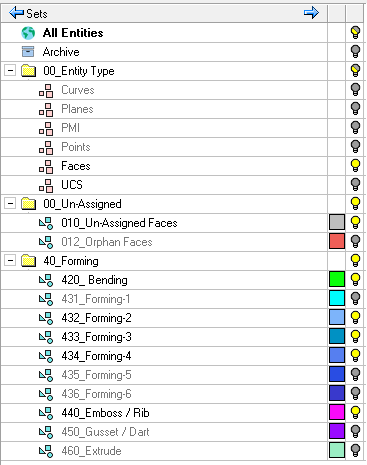
DieQuote uses Sets to identify the group of entities affected by an operation in the quoting process. The elements used in each of the Die Skin, Forming, Restrike and Cam, Cutting, and Blank processes are saved as a Criteria Set. Each set is either a Selection or a Criteria set. Selection sets do not apply in DieQuote.
|
|
Note that Selection The sets can be found in the Sets tab inside the tree pane in all files. A set is created in either the Part or Assembly environments or automatically during some import/export operations. The Sets pane displays the sets belonging to the active file. |
 and Criteria
  sets have different icons. The names of empty sets are grayed out.
Active Set
The active set is displayed in bold letters in the Sets tab. To activate a set, double-click it. Newly created entities are added to the active set. New faces created on an object that is already part of a set will be attached to the active set; however, as they are also part of the object, they will be hidden and shown with the set of the object as well.
If you do not want any set to be active, double-click the All Entities set. In this situation, newly created entities will not be attached to any set.
Default Sets
Sets are created automatically. The following example shows the default Set created when you run the Restrike & Cams function.
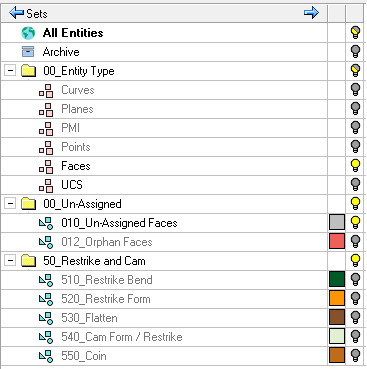
The first two Sets, All Entities and Archive, are mandatory and cannot be deleted.
The All Entities set allows you to control the visibility of all the entities in the file.
The Archive set is used to temporarily dispose of entities that you don't need.
The other sets in DieQuote are created as Criteria sets automatically when the Die Skin operation is executed. The automatic inclusion of these sets in new files is defined in the Document Template.
Icons
|
|
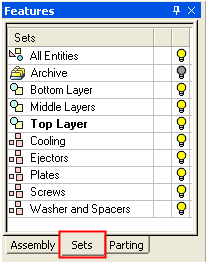
All Entities. A predefined set containing all entities. |
|
|
Archive Set. This is a predefined set containing auxiliary geometry. |
 |
Folder. User defined collection of entities organized into specific subsets. |
| + / - |
Expand All / Collapse All |
|
|
Set created using the By Selection option. |
|
|
Set created using the By Criteria option. |
|
|
Hide, Show and Mixed modes for displaying sets. Notes:
|


 /
/ /
/
Note: A file template may contain sets. These sets are loaded into files created from that template. To change these sets saved with the template, open a new file from the template, make changes to the sets, and save the template using the Save As > Save as Template option.
