Edit Skin
Create a skin (with no thickness) from an object. This enables clear and easy analysis of operations in the system.
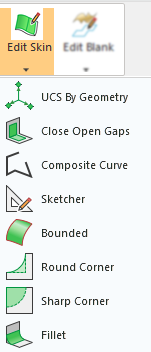
|
Item |
Description |
|
Create a UCS by picking geometry (points and/or edges). |
|
|
Create faces that close open gaps in a skin of stitched faces. A gap is regarded as an island or any closed loop of open (free) edges; for example, those highlighted in red in the middle picture below. |
|
|
Create a contour from a series of curves/edges. Create a single 2D or 3D curve by joining two or more curves (lines, edges, splines, etc.). Composite curves can have the following characteristics:
The basic method for creating composite curves is to pick the First and Last curve and combine the picking options to determine which curves will form the required composite curve path. |
|
|
The Cimatron Sketcher is the graphic environment used to create 2D parametric geometry. This geometry is sketched on a 2D plane which can either be defined before or after opening the Sketcher. This 2D plane is called the Sketcher Plane and after it has been defined, the Sketcher Toolbar is displayed and you can start sketching on the selected plane. |
|
|
Create a face bounded by a contour. The boundaries can be defined by a sketch, edge, curve or composite curve. |
|
|
Round sharp corners of faces. |
|
|
Create sharp corners on faces. This converts a rounded corner into a sharp corner. This means, for example, that external parting surfaces are easier to create and extensions create fewer additional entities. |
|
|
Create fillet faces between two (2) sets of smoothly connected faces. The Fillet function allows you to create fillet faces with a Constant Radius or a Variable Radius. You can also trim the fillet faces, or split them if this will yield better results than trimming (for example, to develop a smooth binder that can be pulled off the part). |
