Sharp Corner 
Create sharp corners on faces.
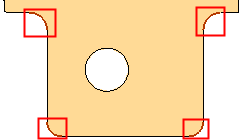
This converts a rounded corner into a sharp corner. This means, for example, that external parting surfaces are easier to create and extensions create fewer additional entities.
|
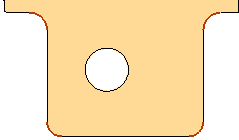
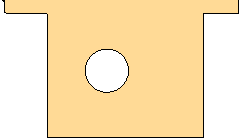
Before: Face with open edges selected |
After: Open edges sharpened |
|
|
|
Usage Example
|
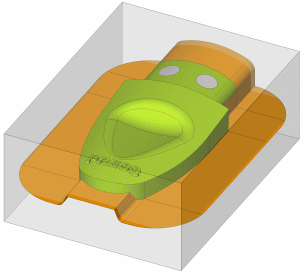
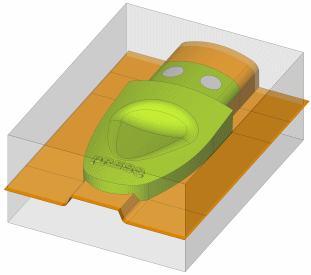
The Sharp Corner function was used to prepare the parting surfaces. |
|
|
|
|
General Interaction
The following is the Feature Guide for Sharp Corner.
|
|
Tip: You can open the Feature Guide at any time by right-clicking the mouse in the graphic display area. |
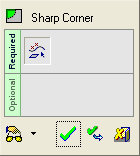
Required Step 1 
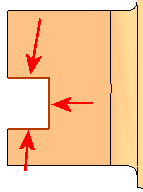
Pick open (free) edges from a face.
Pick the open edges (from a face) from which to create a sharp corner.
|
Picked open edges: |
The result when the function is completed. |
|
|
|
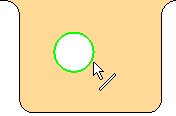
Only open (free) edges can be selected. A closed edge, such as in the example below, cannot be selected for this operation:
|
Example of closed edge: |
|
|
Special Cases
In this function:
-
Lines and Splines are extended linearly.
-
Arcs an Ellipses are extended neutrally.
This means that in certain cases the result is not a sharp corner.
Example 1:
|
If multiple adjacent edges are selected: |
Result: |
|
|
|
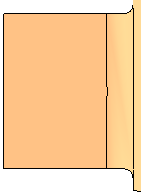
Example 2:
|
If one edge is selected: |
The arcs are extended neutrally: |
Result: |
|
|
|
|
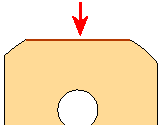
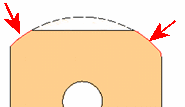
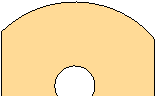
Example 3:
|
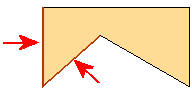
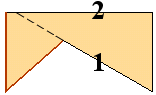
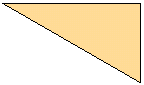
In some cases the extension of one edge forces the other edge to be trimmed rather than extended. |
Edge 1 is extended and trims edge 2. |
Result: |
|
|
|
|
Click OKOK or ApplyApply
 in the Feature Guide to complete the function.
