Tree Pane
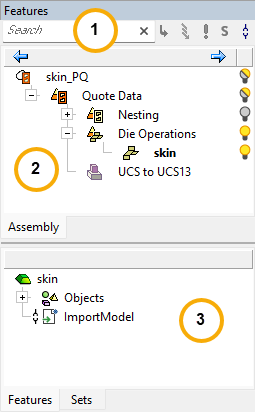
The Cimatron Tree Pane contains a wealth of information on the currently open file. This information is contained in tabs which are displayed according to the type of file currently open.
|
|
The following tree types are displayed in Cimatron:
Note: For more information on specific functions, see the main CImatron Software Help Pages. |
Notes:
-
The location of Tree Panes, like other panes in Cimatron, can be customized by docking them to one of the sides of the Cimatron window. The Tree Panes can be reset to their default settings either by resetting only the panes, or as part of a global reset of all toolbars, menus, and panes.
-
In all environments, an Auto Hide mechanism enables you to hide the Tree Pane on the side of the Cimatron window where the Tree Pane is docked, thereby increasing the viewable display area.
-
Shortcut keys can be applied to the Features, Sets, M-View and Parting Tree tabs by customizing the keyboard (under the Activate Tree Tabs category). In the Assembly environment, the shortcuts only apply to the lower tree pane.
-
A feature in a tree can be used to identify the corresponding feature in the graphics area and vice versa. Selecting a feature in a tree, highlights the corresponding entity in the graphics area.
ExampleExample
Conversely, by using the Highlight Leaf option, selecting an entity in the graphics area, highlights the corresponding feature in the tree.
