Cimatron Control Panel > Main Menu
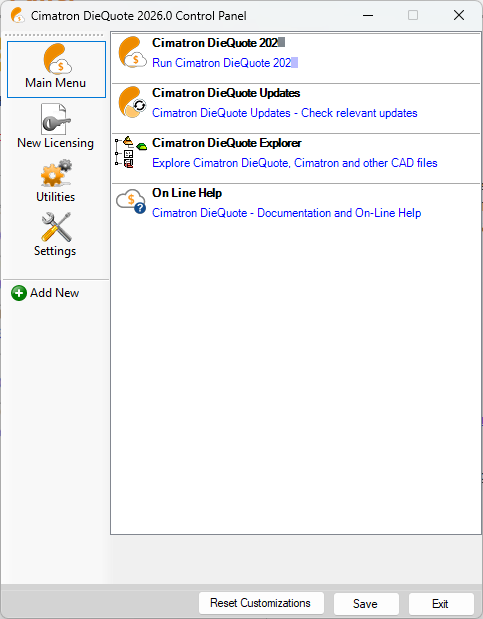
Run various applications from the Main Menu tab of the Control Panel.
|
Cimatron DieQuote <Current_Version_No_short> |
Run Cimatron DieQuote <Current_Version_No>. |
|
Cimatron Updates |
Check for and download updates for your Cimatron DieQuote version. |
|
Cimatron DieQuote Explorer – |
Open the Manager View in the Cimatron DieQuote Explorer. |
|
Cimatron Catalog Updates |
Download Mold & Die part catalogs or update your existing catalogs. |
|
|
When you have finished using the Control Panel, select the appropriate approval option below.
Approval Options
The following options appear at the bottom of the Cimatron Control Panel:
Reset Customizations |
Reset all customizations to the Control Panel. This resets the Control Panel back to the default settings. |
Save |
Save all customizations. |
Exit |
Exit the Control Panel. If you have customized the Control Panel and pressed Exit before saving, you are prompted to save your changes before exiting. |
