Cimatron Updates
Check for and download Cimatron update patches or service packs for your Cimatron version. Only authorized users and those with a maintenance agreement are eligible to download updates.
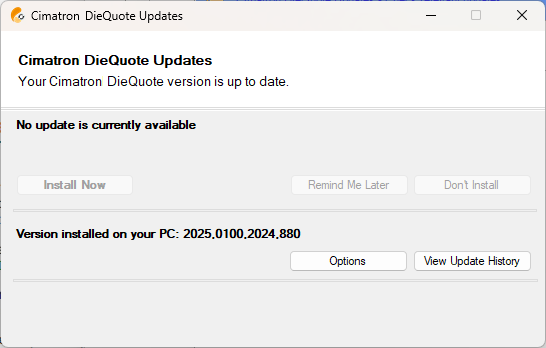
The Cimatron Updates dialog is displayed automatically when Cimatron is loaded, informing you of updates available for your version. This process can also be launched manually from the Control Panel when looking for new relevant updates.
|
|
Update Notes
Cimatron issues patches or service packs (SP) after each major release based on the severity and the number of reported incidents that were identified as software bugs. These patches are supplied on an ongoing basis. A SP is released to include all previous patches. Usually a service pack includes fixes for more than a few bugs. Patches are released more urgently to immediately fix severe bugs. A patch may be of size of several megabytes (MB) and up to ~120 MB.
The online update tool is available for each seat of Cimatron and is configurable. By default, it runs in silent mode every time you start Cimatron. It can also be launched manually from the Cimatron Control Panel when looking for new relevant updates.
When launched, the update tool connects to a Cimatron web server, and fetches the latest available relevant update based on your license, the current installed version, and the local Cimatron Provider or Reseller authorization.
When a new update (patch) is available for you, the tool will notify you and allow you to initiate a process that will first download the update and then install it.
