Stock
Obtain the overall size of a part or create a bounding box (stock) around it. In 2D optimization mode, the box is based along the directions of the active UCS. In 3D optimization mode, the system analyzes and calculates the box orientation and the resulting stock is the minimum bounding box or bounding cylinder around the part. The stock size can be manually manipulated.
Using this function provides an easy way for a designer to find a molding orientation and for a CNC operator to set up a direction on a mill.
Within the function, several on-screen options allow you to add extra stock to the part or round the stock size to a nominal number. When the stock is saved as a solid box, it gets placed on a set and can be marked as a cutting object.
|
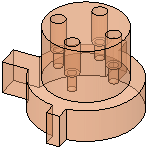
Part for which a stock is to be defined: |
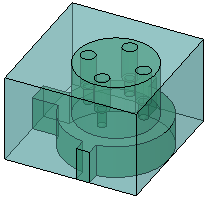
Resulting Box stock: |
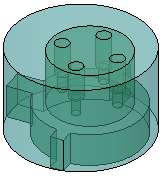
Resulting Cylinder stock: |
|
|
|
|
Process
The Feature Guide is shown here:
|
|
Tip: You can open the Feature Guide at any time by right-clicking the mouse in the graphic display area. |
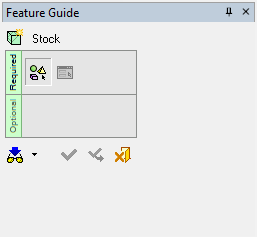
Required Step 1  : Pick objects, faces or wires.
Required Step 2  : Set the stock parameters.
