Setting a Direction: Normal to Reference 
Set a direction normal to a point on a reference curve, plane or face.
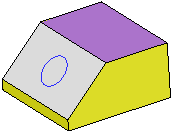
In the following example, the Add Extrude function is to be used to extrude the circle.
|
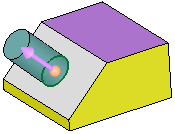
Extrude the circle. |
By default, the extrude direction is normal to the plane/face of the entity. |
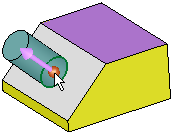
To select another direction, select the arrow base. |
A toolbar of direction options is displayed. For this example, select the Normal to Reference option |
|
|
|
|
|

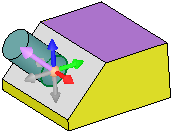
Pick a curve, plane or face.
1. If a plane or planar face is selected, the direction vector is normal to it.
2. If a non-planar face is selected, you are prompted to pick a point on the face. The direction vector is normal to the face at the selected point.
3. If a curve is selected, you are prompted to pick a point on the curve. The direction vector is normal to the curve at the selected point.
To flip the direction 180 degrees, select the arrow body (head or shaft).
|
Reference entity: |
Result: |
|
|
|


