Import
Note: This menu item is only available when no files are open.
Import/Export operations are available for the following tasks:
-
Transferring data locally within Cimatron.
-
Transferring files between the various Cimatron working environments (for example, from the Part environment to the Drafting or NC environment).
-
Transferring specific geometric entities between Cimatron files.
-
-
Transferring files between an external file format (such as ACIS, IGES, etc.) and Cimatron. These types of operations require data to be exchanged digitally between the source and target systems. Cimatron performs accurate and rapid data translations via its Data Interface module, which provides numerous options to perform this task.
Imported file information
Information about the original source file is added to the document description attribute of the imported file, and a timestamp is appended to the name of an imported part file in the Feature Tree.
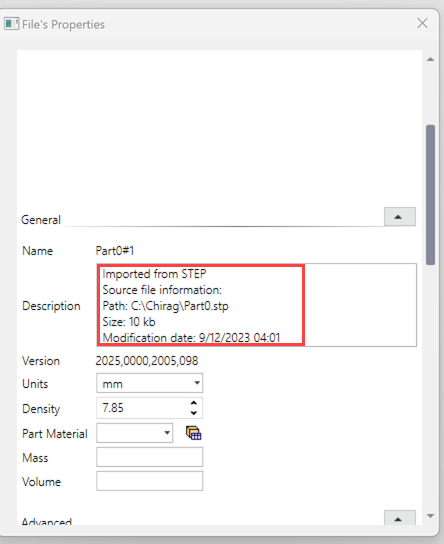
Original Source File Information
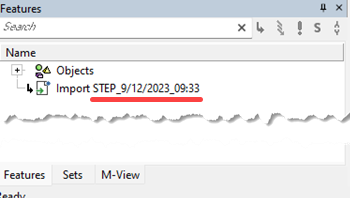
Import Timestamp
Import Options
|
The Import options that are displayed depend upon the type of file currently open and the method you use to access the import function. The table below summaries the import options listed alphabetically for each section:
|
|
The table below lists the various import options and shows those that transfer data locally within Cimatron and those that transfer data with an external file format; the latter requiring a Data Interface operation. The import options in the table are listed alphabetically for each column.
|
||||||||||||||||||||||||||||||||
|
* If you used the ** Assembly notes: If a part component is activated in an assembly, the import options are the same as those of Part. Importing instance attributes: When importing assemblies from various file formats, the following instance attributes are also converted to Cimatron:
|
||||||||||||||||||||||||||||||||||

Note: For more information on specific functions, see the main CImatron Software Help Pages.
