Direction Analysis
Analyze selected faces and visualize their draft angle with reference to a defined direction.
Process
The Feature Guide for Direction Analysis is displayed.
|
|
Tip: You can open the Feature Guide at any time by right-clicking the mouse in the graphic display area. |
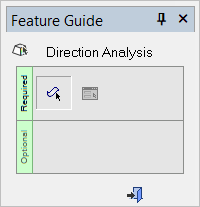
Required Step 1 
Pick faces or objects from the part for Draft Angle Analysis.
Required Step 2 
Set the parameters, perform the Direction Analysis, and display the Draft Angle Analysis color dialog. Also, show the draft angle when moving the cursor over the faces selected for assignment.
Detailed Interaction
See Options and Results.
